

In partnership with

MVP Nick Doelman published a wonderful, provocative post titled “Ditch the Power Apps maker portal”. Since the Power Platform Boost podcast hosts (Nick and Ulrikke Akerbæk) have graciously included a “Jukka corner” in their show many times, it’s only fair of me to highlight noteworthy content from them.
In a true Canadian way, Nick didn’t go and shout “the maker portal is DEAD!” like someone else might have. His argument is presented more politely, simply stating the fact that the single biggest productivity boost a Power Platform maker can gain today comes from not using the maker portal but rather doing things via code, leveraging LLMs.
So, it was me who had to go and do the “R.I.P. Power Apps Maker Portal” graphics. I happened to have one screenshot of the very first version from 2016 in my archives, which gives us a nice comparison of what the product looks like a decade later:

make.powerapps.com portal, 2016 vs. 2026.
Have we really come such a long way with Power Platform that the primary UX surface for app builders is now obsolete? To some extent, yes — but it’s a bit more nuanced than a quick R.I.P. statement suggests. This will be the topic of this week’s issue where I explore the platform’s evolution from low-code to all-code.
Code used to be the tricky part
What makes me respect Nick’s advice in particular is how his earlier contributions helped me, and surely many others, overcome the ALM hurdles of Power Platform development tooling. Nick’s tutorial “Simple ALM for Power Apps/Dynamics 365 Projects Revisited – Power Apps Build Tools edition” was how I set up my very first Azure DevOps pipeline back in 2020. In fact, I happen to have an Instagram post from that very moment as I was in charge of the marketing activities for my former company at that point:
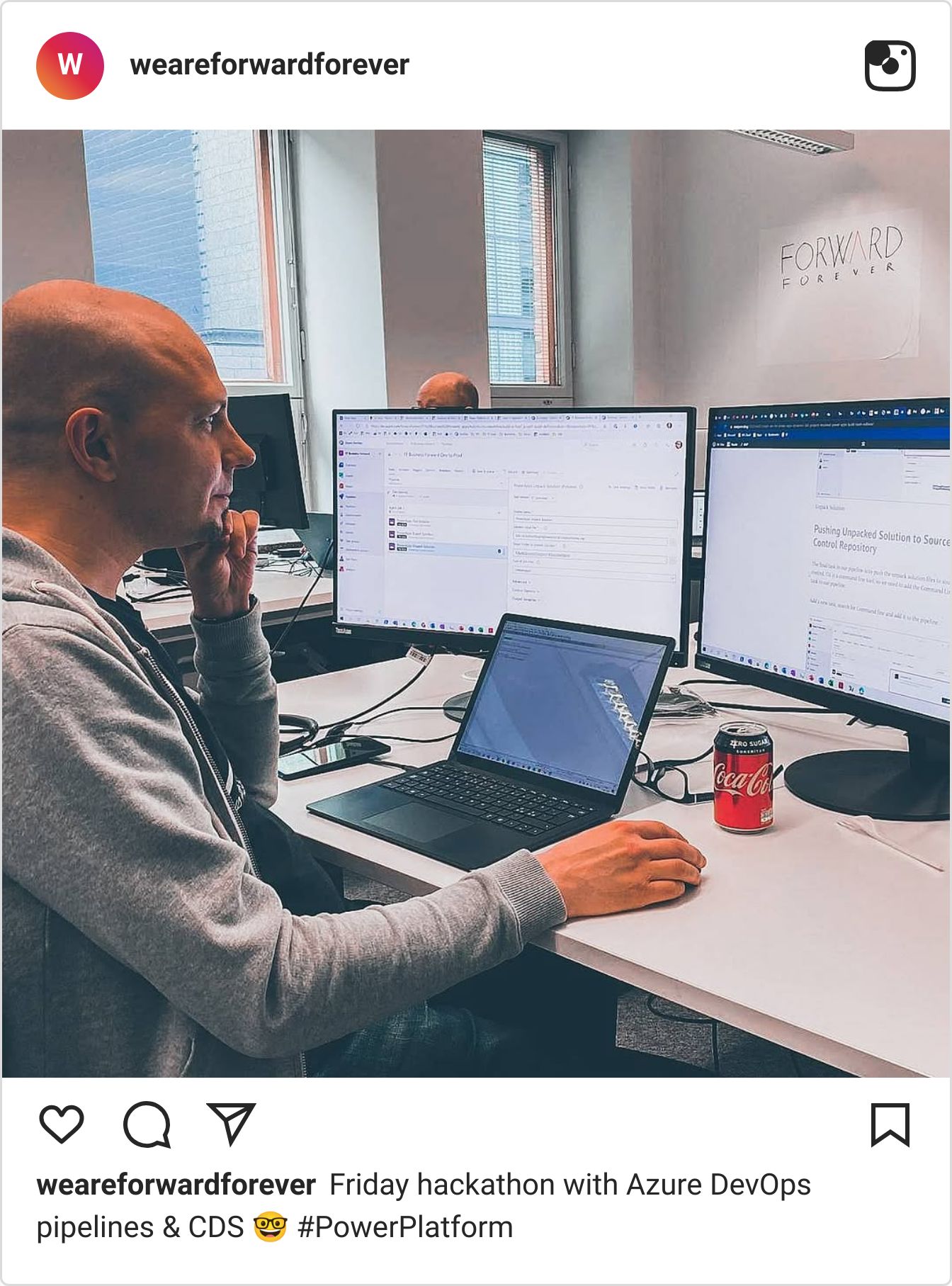
The tutorial made the Dataverse to DevOps pipeline setup doable, but was it simple? Hell no! Going through 24 distinct manual configuration steps probably took me at least a couple of hours. With no prior experience on ADO, having to bounce between strange new screens while blindly pasting variables from the blog post into different fields, it didn’t exactly make me feel confident about knowing what I was doing. But it worked. That pipeline deployed the updates of a business-critical system for many years, with no changes needed, so it was worth it.
These days, anyone using Managed Environments could choose to leverage the built-in Power Platform Pipelines instead. Bigger teams with multiple software developers would still mostly choose to rely on ADO. If all you need is the straightforward dev-test-prod deployment for one solution, Pipelines will do the job just fine. What it won’t do, though, is version control in a proper repo. For that, you need to leverage a different built-in feature: the Dataverse Git integration.
Like Pipelines, it’ll mostly do the job. It will also likely give you some headaches about shadow conflicts, as well as unsupported solution components (like Dataflows🤬) constantly appearing inside your solution to mess things up. When everything works, it’s great. When it doesn’t — you’re at the mercy of Microsoft product features and waiting for bugfixes. Given my personal experience with the feature, anytime I click “commit” in the Pipelines UI, I still copy-paste the commit message into Notepad++ since I’ve had so many failures in the process that wiped away my message.

My single-dev pipeline, once again showing conflicts when I have done absolutely no changes anywhere.
When I originally adopted the Git integration preview feature in late 2024, the big benefit I saw in the version control was gaining visibility to the metadata change log. It was still a time when AI coding agents hadn’t yet gone mainstream. This meant I needed to be personally looking through the data and also figuring out how Git in general works. It was promising yet somewhat challenging - just like blindly setting up an ADO pipeline was a few years earlier.

In 2026, the value of Git and ADO comes from the fact that my AI agents will instinctively know how to operate them. As long as the technology involved is commonplace in the world of software development, Claude Code & co. will be able to figure things out without me giving them instructions. This is the core pattern today: the more Power Platform development resembles traditional software development, the more value AI can bring to it.
Previously, when you had to step outside the built-in product feature path, the usual reaction was “oh sh**, which markup/scripts do I need to edit?” These days, it's the complete opposite. When there is a non-GUI way to complete the tasks in Power Platform development, it’s a moment of relief: “thank heavens, this can be done via code!” Because it means the computer is now on your side, thanks to how LLMs can translate between human language and code.
Take Git. In theory, it does have a GUI. You’ve likely never used it because it looks like this:

Most of the Git Gui app’s features presented in a single screenshot.
Using Git in your application development work used to require not just understanding its concepts and extensive features. You also had to memorize/search for the exact commands to achieve the outcome you wanted. If you didn’t get it quite right, there’s a good chance you created a mess in your repo that required spending time trying to undo the damage. Now, us humans no longer have to bother. Even experienced software engineers like Simon Willison freely admit that they choose to just ask a coding agent to “sort out this git mess for me”:

Using Git with coding agents - from the Agentic Engineering guide of Simon Willison
This relates closely to what I wrote in “The new bottleneck is apps”. We’ve spent the past decade trying to deliver simple and delightful app experiences that align with the iPhone-esque mobile-first UIs with big buttons and low information density, in an attempt to distance these modern apps from the early Windows era of everything crammed into a single screen. Neither UX paradigm was the perfect solution as it always relied on the user discovering what is where, while the UI design had to evolve to incorporate an ever-growing number of product features.
It now seems that the only scalable method for making this problem go away is by removing the user from the equation and letting the computer read the data on the user’s behalf. Designing a fixed GUI for something as complex as building Power Apps solutions from all the available ingredients in 2026 is a losing battle. Every graphical editor surface accumulates technical debt, leading to a disjointed UX. The available development resources get assigned to creating “modern” versions of earlier screens, meaning mostly just adding whitespace and making information density (i.e. maker productivity) even lower.

The modern Power Apps chart editor from 2026, with the classic CRM 2011 era chart editor overlaid with exact same feature set and 50% less pixels needed.
Not only can LLMs consume dense UIs and APIs with ease; they are also excellent in generating net-new UIs on top of any data. This helps in overcoming any inherent limitation of current applications and outsourcing the tedious part to AI agents. For instance, I have always found it infuriating how clumsy Azure Boards in ADO are to work with and customize to my liking. The default UX seems completely off for my needs, yet I know all the work item data for making things useful would be available inside the system. If only it wasn’t wrapped inside an interface I have to fight with.
Now, I don’t have to.

My Claude Code calling the Azure DevOps MCP server, reading and updating work items to/from ADO, updating wiki.
These days, I don’t even pretend to look at the native backlog screen in ADO. Instead, Claude Code works with the data and produces the relevant summary of it into ADO wiki as Markdown pages. I then read and share those pages with the project team, so that no one has to spend time figuring out what info is where. Suddenly, tools that were designed and built for traditional custom software development projects become accessible and useful for any audience.
Working with code used to require code literacy. Similarly, understanding a foreign human language used to require plenty of studies and practice to reach even a very rudimentary level in that task. Then, 20 years ago, Google Translate was launched. It gradually made on-the-fly translation of text from one language to another an ubiquitous feature of basic digital tools we all have access to. Today, what LLMs are doing to computer code is somewhat similar but massively more powerful in democratizing access to this literacy.
Communicating in human language is not just about transporting information payloads between individuals. It is very much about shaping and then changing the world, through indirect means. You can’t quite “execute” natural language and see it run and do its thing. With code, you can. This immediate impact from software used to be hidden behind the effort of humans spending days/weeks/months to produce lines of code. It was everything but immediate in real life situations. Until AI coding agents arrived and it became possible to switch from drawing mock-ups to just asking the computer “show me what this could be like”.
Porkbun is the domain name registrar you need.

Still using GoDaddy or Namecheap? There’s a better way with Porkbun!
Porkbun is the domain registrar trusted by creators, developers, entrepreneurs, and folks who want low prices without the nonsense.
Why people are choosing Porkbun:
• Most domains sold at cost
• Low, transparent registration and renewal pricing
• Free features like WHOIS privacy and SSL certificates
• Powerful web and email hosting options
• Real human support 24/7, 365 days a year
• Named the #1 domain registrar by Forbes Advisor and USA Today
For launching a business, building a personal brand, starting a side project, or creating your first website, Porkbun makes it easy.
Get $1 off your next domain registration with Porkbun now.
The state of “vibe engineering” with Power Apps
Google Translate and similar tools didn’t make human language skills redundant, yet the arrival of “vibe translating” did dramatically decrease the barrier for engaging with content not expressed in your mother tongue. In software, the differences between vibe coding and agentic engineering are also being actively developed and defined to help the industry better communicate and coordinate actions around AI-generated code. Because we’re not talking about just a single pattern that applies to everyone and everything involving code.
I recently reviewed the deck from a Microsoft 365 Community Conference session titled “Power App Builder’s Guide To Choosing the Right Path”. The term that April Dunnam chose to use when talking about different AI-based options for app builders was “vibe engineering” — which sounds like a hybrid between vibe coding and agentic engineering. The presented spectrum of options made me pause and think how different the situation is, depending on where you land on that axis. I had to do my own vibe check on it on LinkedIn, but I want to further expand on the thinking here.

Vibe Engineering Spectrum - AI app building options today, ranging from no code to pro code
First of all, those three categories really are a great way to identify the distinct audiences that can all be app builders today:
End-users: you are working within other M365/Copilot products, taking advantage of features offered directly in menus, via agents.
Builders: you are leveraging the tools and config options presented in various maker portals, creatively combining artifacts and platform capabilities to assemble new solutions. You may see the code but you never directly interact with it.
Developers: you understand how the platform works underneath the GUI and have tech skills that go beyond just Microsoft products licensed to your org. Power Platform is just the domain in which the business apps happen to be built.
I’ve talked about the developer end of the spectrum a lot in my newsletter recently, even though I don’t identify as a “pro coder” due to my lack of code literacy. It is clearly the area where the most new opportunities are emerging, giving us Power Platform practitioners a reason to be excited about something not dressed up as a chatbot. Instead of modernized UIs to do the old thing, the all-code direction unlocks completely new ways to build solutions.
If we move left on the above spectrum picture and look at things from the builder perspective, there’s a clear reason why Nick Doelman encourages you to ditch those maker-targeted tools. I would, too, because the progress and results here have been less than stellar. Ever since the MS executives that now form the Copilot Leadership Team mandated that every product must have a Copilot, we’ve seen various different AI-assisted app/automation building features launched inside Power Platform that have almost zero value in real-life solution development work.
Two years after that initial mandate, the first round of “build with Copilot” style features have already been removed, deprioritized, or abandoned. This doesn’t exactly make the already busy maker portal easier to navigate, nor give a clear indication of what specific options Microsoft suggests the low-code makers should use in their specific situations. It’s the classic “which tool when” conundrum that’s become a meme especially on the collaboration tools side of O365/M365.
Let us not merely complain about complexity, but rather pinpoint what the concrete problems are with the low-code builder stack that Power Apps offers today. Now, while I realize the Vibe Engineering Spectrum slide was from a M365 Conf presentation held in Orlando, it still frustrates me how Microsoft has failed to build on their familiar strength of being a global cloud service provider. The era of US-only features is back — something which was a frequent limitation ten years ago but then got much better for the BizApps services.
Generative pages is a feature Microsoft has claimed to be Generally Available. What the docs mention only in a small note is that this applies only to United States, Great Britain, Australia, or Singapore. Meaning, it covers ~5% of the world’s population (a slightly bigger share of MS cloud customers, sure). Ever since the November 2025 GA release announcement, nothing has happened here to make it relevant for the majority of Power Platform app builders. It remains slideware that serves mainly to confuse them of options that they think would be available — and then aren’t when trying to build something for real.
True, generative pages can be created also in regions outside those four regions. But only if you follow the “ditch the maker portal” path and go all-code. Using VS Code and a coding agent like GitHub Copilot or Claude Code, you can easily generate rich UIs on top of your Dataverse tables. Adding them to the model-driven app is confusing, thanks to the GUI features being blocked, but once it’s in the sitemap everything works fine. As long as you’ve not used Power Apps low-code experience for app building and instead embraced CLI tools, Git, and all the code-first skills. But if you’ve got such skills then why did you even start playing around with Power Apps?

Subscribe to Plus to read the rest.
Become a paying subscriber of Perspectives Plus to get access to this post and other subscriber-only content.
Upgrade